
اكتب اختبارات end-to-end متعددة المنصات بلغة JavaScript
أصبحت كتابة الاختبارات للكود جزءًا أساسيًا من البرمجة في أيامنا هذه. هناك أنواع مختلفة من منهجيات اختبار البرمجيات، مثل اختبارات الوحدة (unit tests) واختبارات التكامل (integration tests) واختبارات end-to-end. يشرح هذا المقال كيف نطبّق اختبار end-to-end على تطبيق react-native بسيط.
سنستخدم مكتبة Detox التي يطوّرها ويصونها فريق Wix.
التطبيق بسيط جدًا! يتيح للمستخدمين أن يضعوا إعجابًا على لعبتهم المفضلة من Nintendo 64. وبالتالي هناك سلوك واحد محدد نريد اختباره في التطبيق: خاصية الإعجاب!
قصة المستخدم (User Story)
لنعدّد كل الإجراءات التي يمكن أن يقوم بها المستخدم في هذه الخاصية:
-
يفتح المستخدم التطبيق.
-
يرى المستخدم بطاقة اللعبة، وعليها زر إعجاب ونص يعرض العدد الإجمالي للإعجابات. (لنقارن النص بعد إجراء المستخدم)
-
يضغط المستخدم على زر الإعجاب.
-
يلاحظ المستخدم أن نص الإعجابات تغيّر. في هذه الحالة يزيد عدد الإعجابات بمقدار واحد.
تنبيه: يمكن اعتبار قصة المستخدم هذه نظريًا اختبار تكامل. لكن بما أن التطبيق نفسه مسؤول فقط عن السماح للمستخدمين بالإعجاب بلعبتهم، فإننا نعاملها كاختبار end-to-end.
الكود
سنكتب الكود ونحن نمرّ على قصص المستخدم بالترتيب. كل كتلة كود ستقابل في النهاية قصة مستخدم محددة.
- يفتح المستخدم التطبيق.
const detox = require("detox");
const config = require("../package.json").detox;

// before doing any test, ensure the app is launched by the device.
beforeAll(async () => {
  await detox.init(config);
  await device.launchApp();
});
- يرى المستخدم بطاقة اللعبة، وعليها زر إعجاب ونص يعرض العدد الإجمالي للإعجابات. (لنقارن النص بعد إجراء المستخدم)
it("Game card has the like text and button are available on the screen", async () => {
  // test if the elements are on the screen
  await expect(element(by.id("game-card-like-text-1"))).toExist();
  await expect(element(by.id("game-card-like-button-1"))).toExist();

  // test game card has the like text available on the screen
  const likeTextAttrs = await element(
    by.id("game-card-like-text-1")
  ).getAttributes();

  await expect(element(by.text(likeTextAttrs.text))).toExist();
});
- يضغط المستخدم على زر الإعجاب.
it("pressing the like button", async () => {
  // Tap to the like button to increase like count
  await element(by.id("game-card-like-button-1")).tap();
});
- يلاحظ المستخدم أن نص الإعجابات تغيّر. في هذه الحالة يزيد عدد الإعجابات بمقدار واحد.
it("pressing the like button of the first game card should increase the like count by one", async () => {
  // get like text(like count) before the like button is "tapped"
  const beforeLikeTextAttrs = await element(
    by.id("game-card-like-text-1")
  ).getAttributes();

  // Tap to the like button to increase like count
  await element(by.id("game-card-like-button-1")).tap();

  // calculate final like text(count)
  const increasedLike = Number(beforeLikeTextAttrs.text) + 1;

  // get updated like text
  const afterLikeText = await element(
    by.id("game-card-like-text-1")
  ).getAttributes();

  // test whether the like text(count) has been increased
  await expect(element(by.text(afterLikeText.text.toString()))).toHaveText(
    increasedLike.toString()
  );
});
الكود الكامل
// For more info on how to write Detox tests, see the official docs:
// https://github.com/wix/Detox/blob/master/docs/README.md

const { reloadApp } = require("./reload");

describe("Example", () => {
  beforeEach(async () => {
    await reloadApp();
  });

  it("First game card has the like text and button are available on the screen", async () => {
    // tests if the elements are on the screen
    await expect(element(by.id("game-card-like-text-1"))).toExist();
    await expect(element(by.id("game-card-like-button-1"))).toExist();

    // test game card has the like text available on the screen
    const likeTextAttrs = await element(
      by.id("game-card-like-text-1")
    ).getAttributes();

    await expect(element(by.text(likeTextAttrs.text))).toExist();
  });

  it("pressing the like button of the first game card should increase the like count by one", async () => {
    // get like text(like count) before the like button is "tapped"
    const beforeLikeTextAttrs = await element(
      by.id("game-card-like-text-1")
    ).getAttributes();

    // Tap to the like button to increase like count
    await element(by.id("game-card-like-button-1")).tap();

    // calculate final like text(count)
    const increasedLike = Number(beforeLikeTextAttrs.text) + 1;

    // get updated like text
    const afterLikeText = await element(
      by.id("game-card-like-text-1")
    ).getAttributes();

    // test whether the like text(count) has been increased
    await expect(element(by.text(afterLikeText.text.toString()))).toHaveText(
      increasedLike.toString()
    );
  });
});
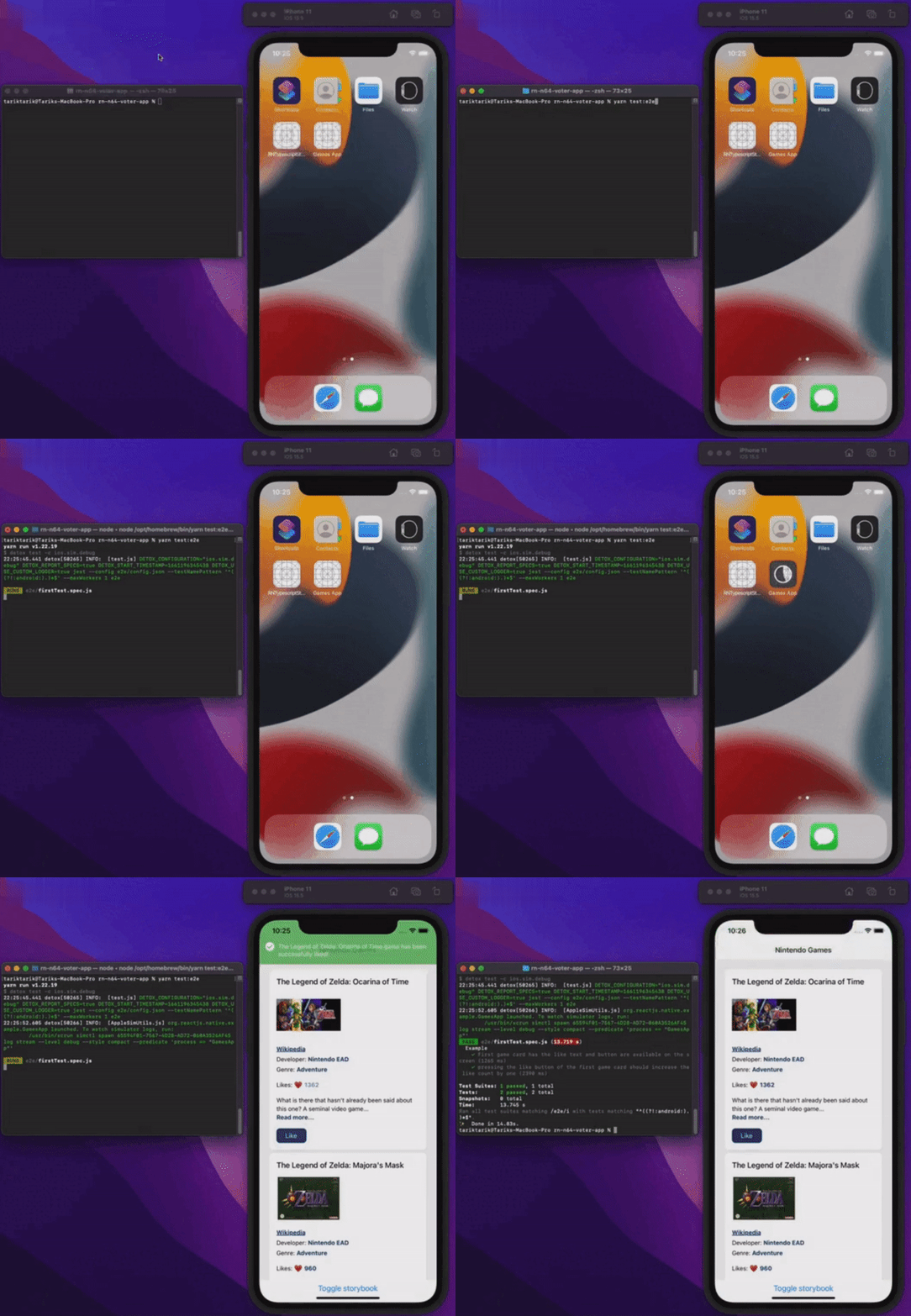
العرض التوضيحي
لنرَ كل شيء وهو يعمل.
الخلاصة
تناول هذا المقال أساسيات اختبار end-to-end في تطبيقات react-native. ولتبسيط الأمور، جاء التطبيق بسيطًا بما يكفي لعرض الجوانب الأساسية لاختبار end-to-end. وبالطبع قد يكون الأمر أعقد من ذلك بكثير في التطبيقات الحقيقية وتطبيقات الإنتاج.
يمكنك الاطلاع على الكود المصدري النهائي لهذا التطبيق عبر الرابط أدناه.
أتمنى لكم جميعًا يومًا خاليًا من الأخطاء!
منشور أيضًا على
هذا المقال منشور أيضًا على: